- Rules
- Guests from outside UGM
- UGM graduates
- UGM staff who do not have an account at HRIS
- Account will be active maximum one week after the registration
- The guest account will be terminated if used inappropriately
- Procedure for Creating a Guest Account
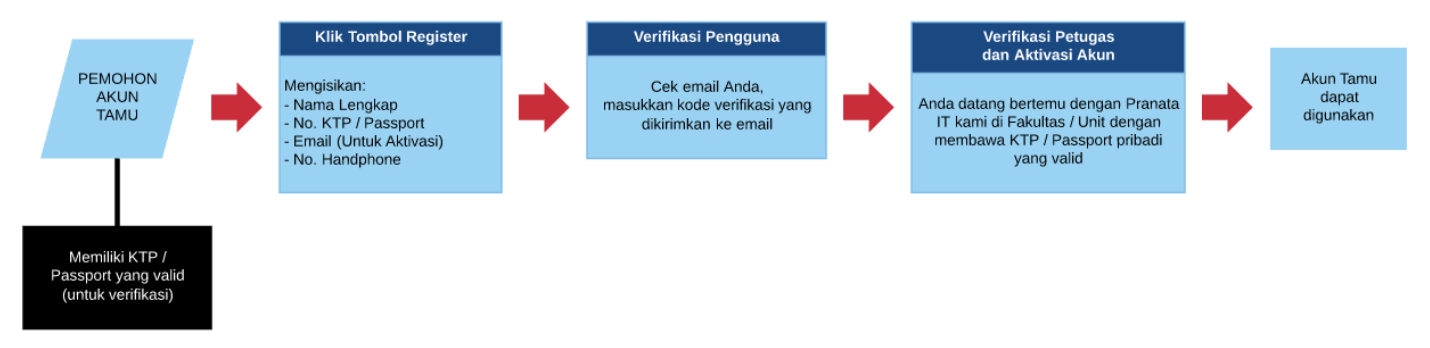
How to register:
-
-
- Login to UGM Internet
Connect the device to the Internet (Hotspot / Cable Connection), open the browser (e.g. Google Chrome, Mozilla). Go to
-
- . The page will automatically go to the Login Portal as shown below:
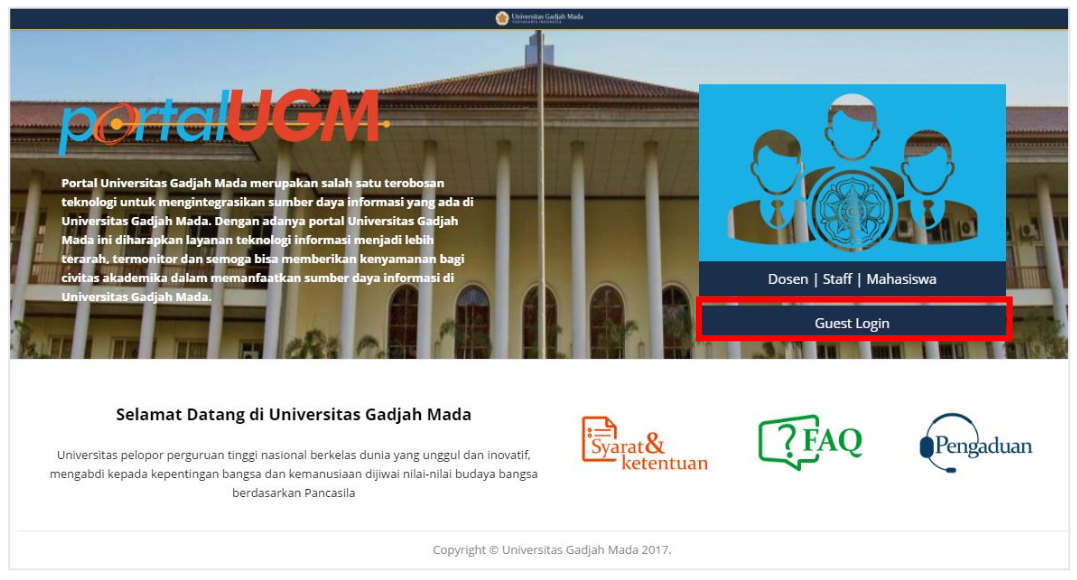
- Click the Guest Login button
-
-
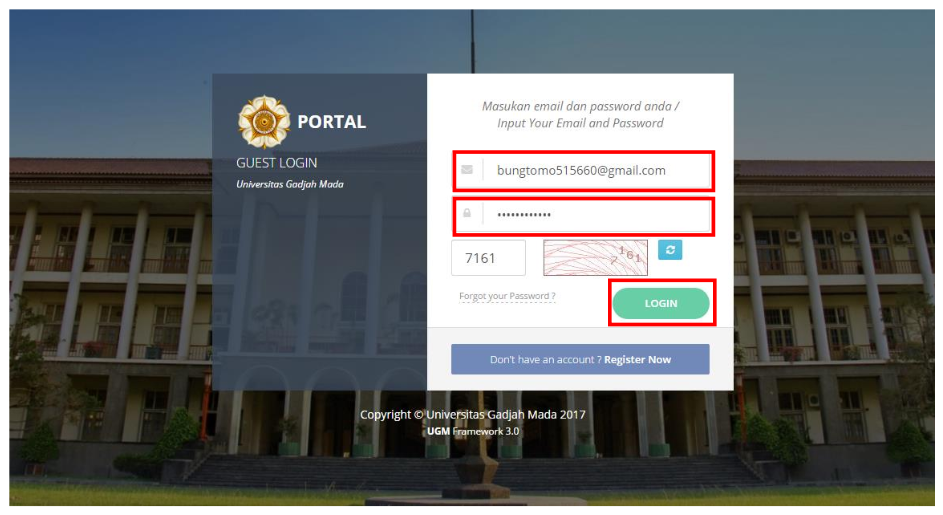
- Fill in the Login Form
Enter your email and password sent to your email.
-
- If you don’t have an account, click “Don’t have an account? Register Now”.
-
- Fill in your data such as Full Name, ID Number, Valid Email and Telephone Number that will be used to log in to Guest Internet.
Note: Email will be used for internet login and password confirmation
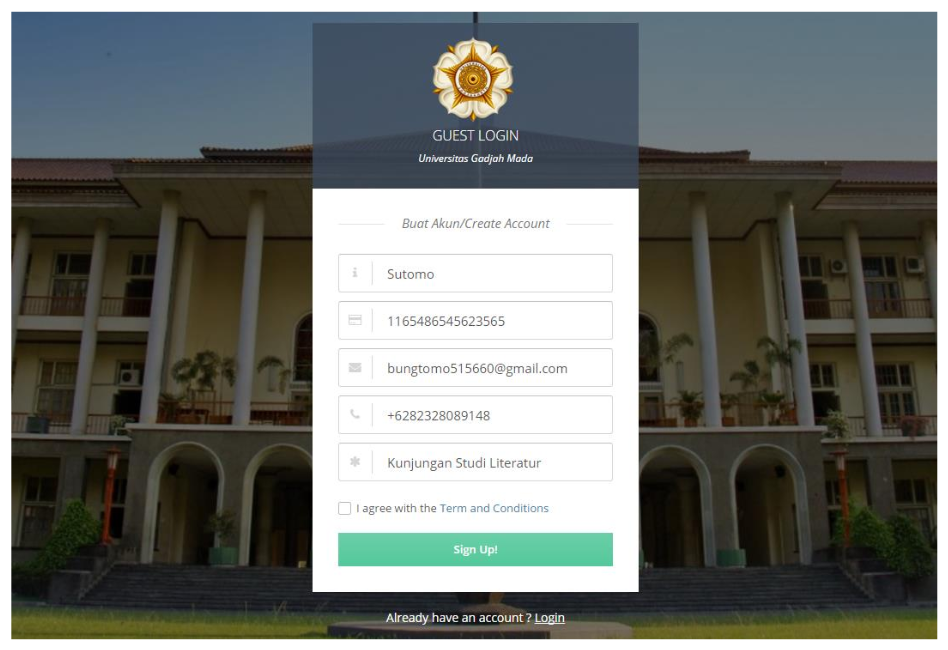
- Then click the sign up button!
-
- Email Verification
If the data has been entered correctly, the registration is successful and a page appears as follows:
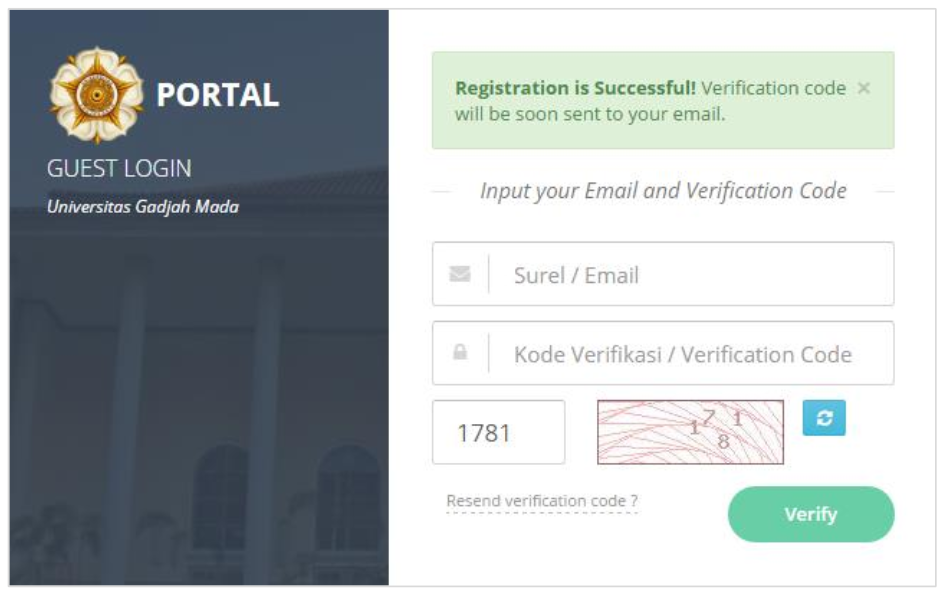
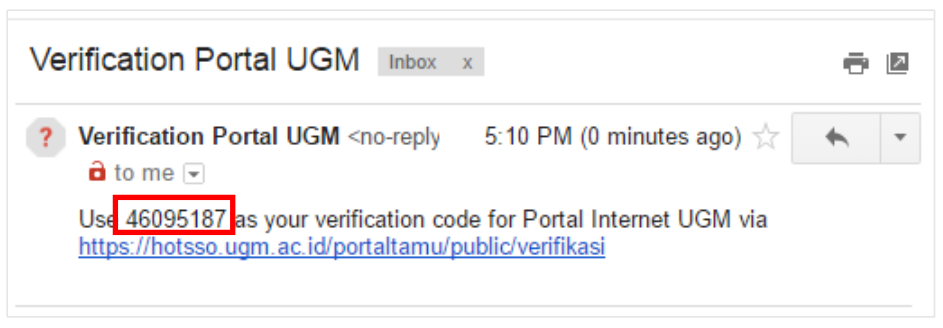
Please open your email, then complete the Verification Code
Fill in the data as shown below, then click the Verify button:
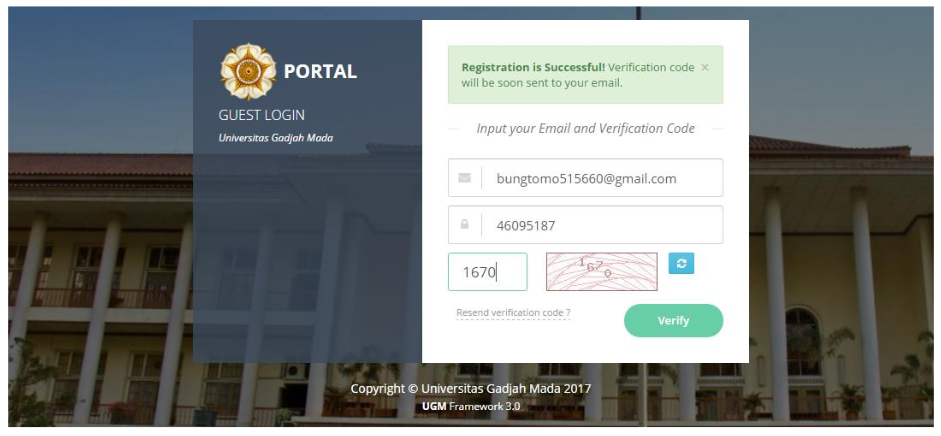
When the following page appears, it means that Guest Account registration has been successful. Please wait for confirmation from the IT staff.
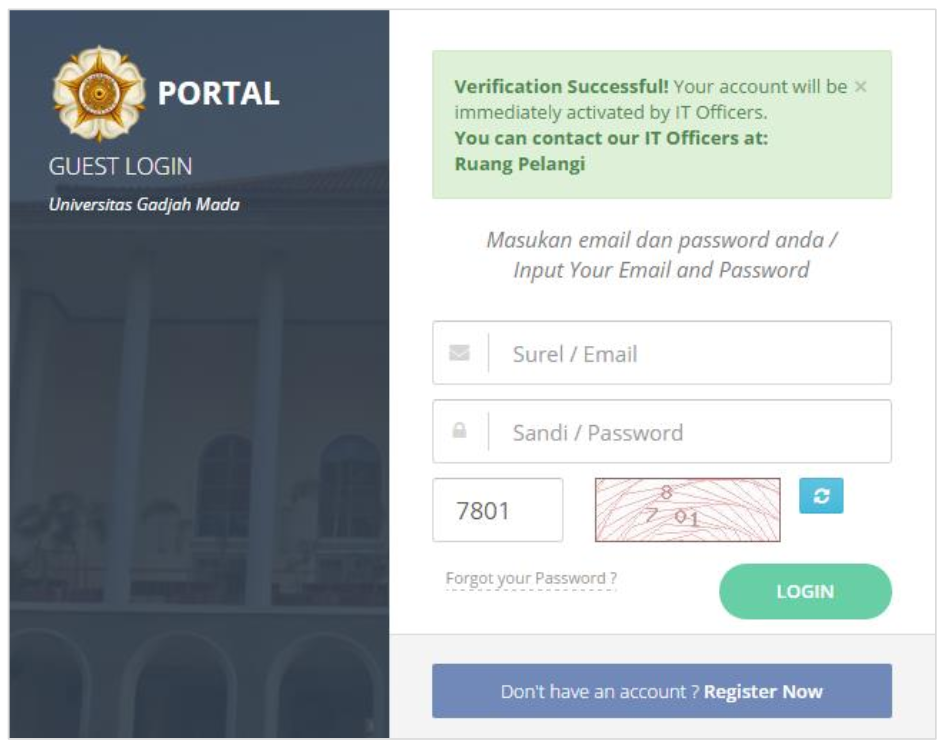
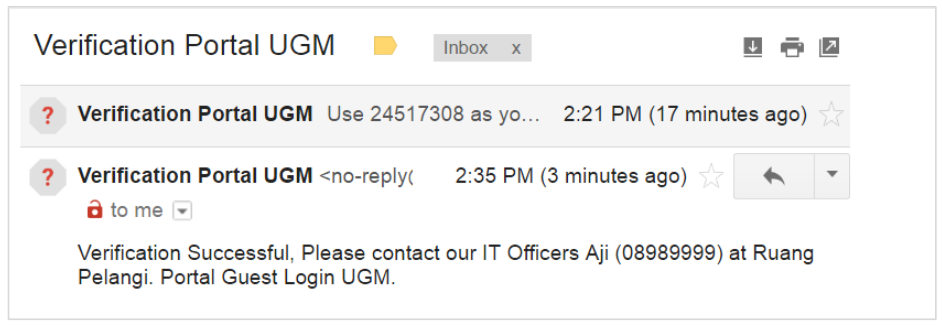
Contact the IT staff listed in your Email
-
- Login an Email Account
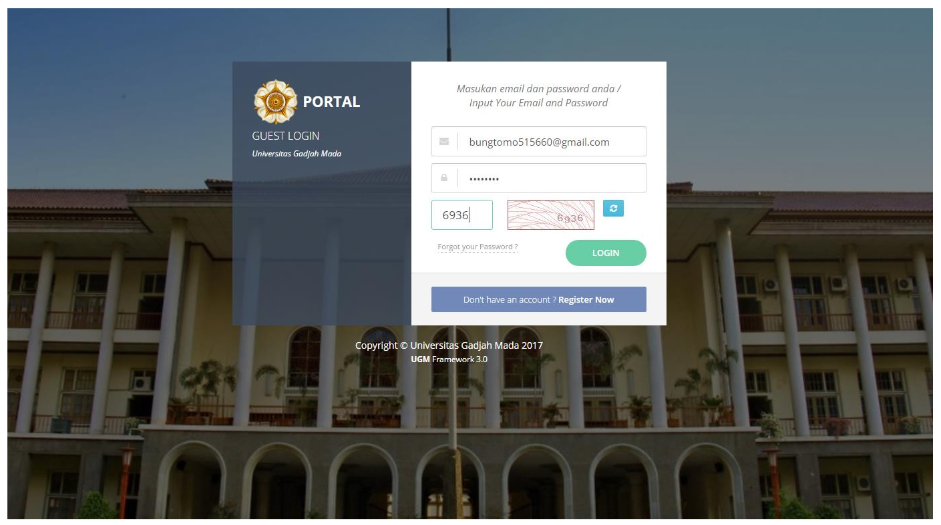
When the account has been verified by the IT staff, the account is ready to use for internet login.
-
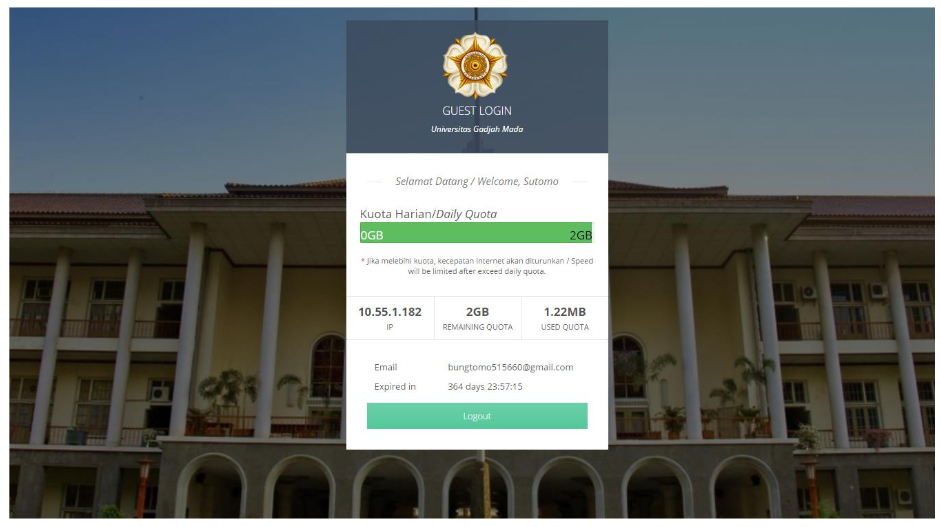
- The following account is successful when logging in using a guest account